 29 November 2025
 Share
Share
1

What Is Uizard?
Uizard is an online design tool made for people who want to create apps, websites, and digital products without learning complex software. It focuses on speed and simplicity uizard reviews. You can turn rough ideas into polished designs in minutes. Many people use it to create wireframes, mockups, prototypes, and branded layouts. The tool uses AI to help you move faster and stay focused on the look and feel of your project.
How Uizard Works
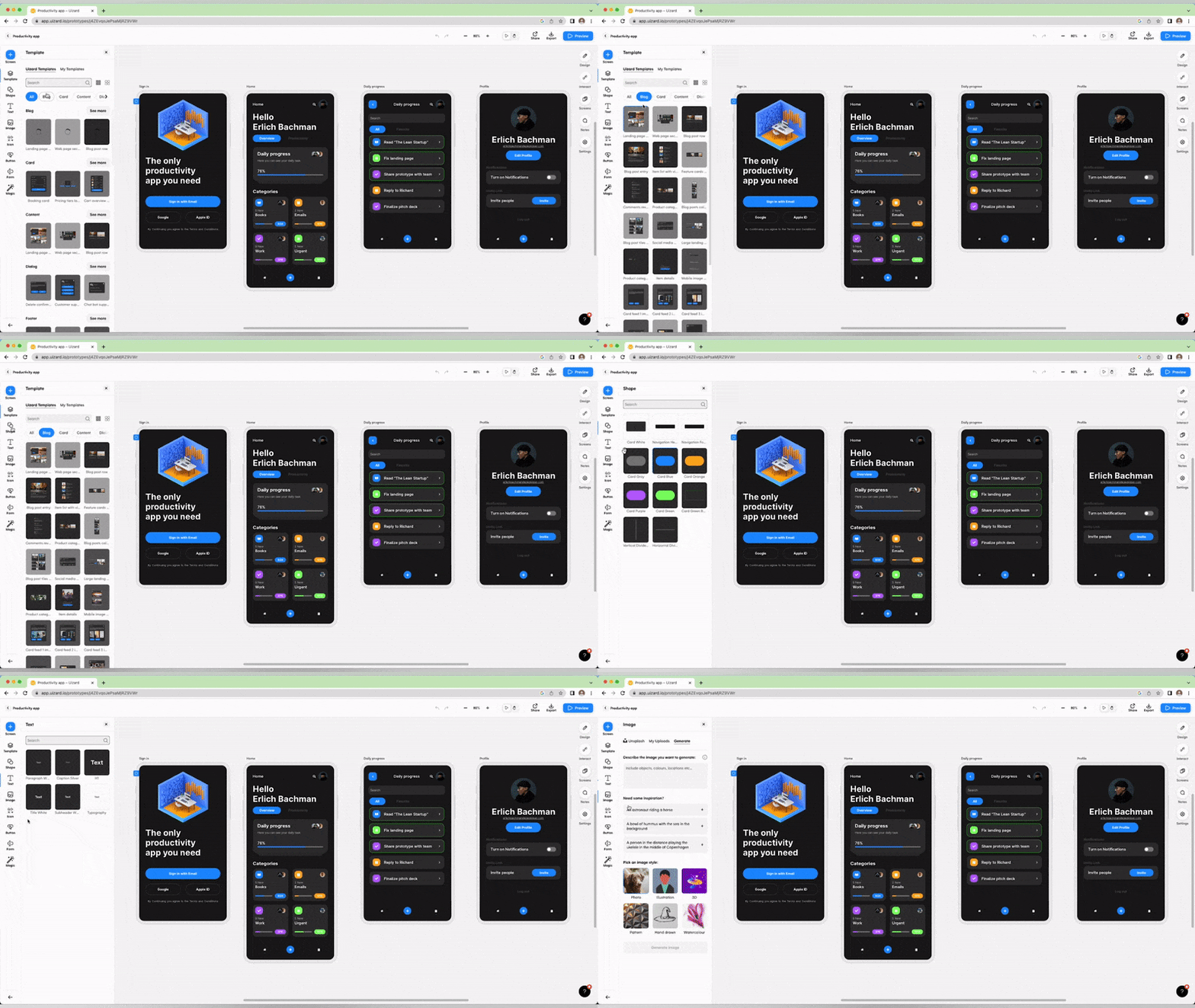
Uizard works inside your browser. You start with a blank page or choose one of its ready-made templates. The interface is clean, and everything is easy to find. You can drag and drop elements like text, buttons, images, and sections. The AI features help you generate screens, update styles, and even turn sketches into real designs. When you upload a handwritten sketch, Uizard reads the shapes and converts them into editable layouts, which saves a lot of time. The tool also lets you create clickable prototypes so you can see how a user would move through your app or website.
Best Features of Uizard
One of the best features is its AI UI generator. You can enter a short description, and Uizard builds a layout for you. This is helpful when you have a vision but don’t know where to start. Another great feature is its theme generator. You can upload an image, choose a brand color, or describe a style, and Uizard creates a matching theme across all your screens. The collaboration tools also make teamwork simple. You can invite others to edit, comment, or view your project in real time. Everything updates instantly, which helps teams stay aligned and avoid confusion.
Pros of Using Uizard
Uizard is beginner-friendly, which means you don’t need any design background to use it. The drag-and-drop system is smooth, and the AI tools save a huge amount of time. The templates cover many categories, such as apps, dashboards, landing pages, and e-commerce. Another advantage is that Uizard keeps things simple. The platform does not overwhelm you with too many complex controls. This makes it a good choice for founders, students, marketers, and anyone who needs quick visuals for a project or pitch deck. The automatic style matching also helps you maintain consistent branding across your design.
Cons of Using Uizard
Uizard is not made for deep design customization. Professional designers may find it limiting when compared to tools like Figma or Adobe XD. The AI features are strong, but they sometimes need manual adjustments to get the look you want. Some advanced layout controls are missing, and exporting options can feel basic for large-scale projects. The free plan also has limitations, so serious users might need to upgrade to unlock all features.
Who Should Use Uizard?
Uizard is great for people who want to move from idea to mockup quickly. Startup founders can use it to show investors how their product will look. Students can use it to practice UI design without complicated tools. Content creators and marketers can put together landing pages or app concepts for presentations. Even developers can use it to create early layouts before writing any code. It’s perfect when you need speed, clarity, and simple visual storytelling.
Final Verdict on This Uizard Review
Uizard is a strong and helpful tool for fast design work. It blends AI with easy controls so anyone can create professional-looking layouts. It’s not a replacement for advanced design tools, but it fills an important gap for beginners and busy teams. If you want to turn ideas into real screens without spending hours learning design software, Uizard is worth trying.
